
Skip to content
View in the app

A better way to browse. Learn more.

Zayed.Solutions

A full-screen app on your home screen with push notifications, badges and more.

To install this app on iOS and iPadOS
  1. Tap the Share icon in Safari
  2. Scroll the menu and tap Add to Home Screen.
  3. Tap Add in the top-right corner.
To install this app on Android
  1. Tap the 3-dot menu (⋮) in the top-right corner of the browser.
  2. Tap Add to Home screen or Install app.
  3. Confirm by tapping Install.

Floating Action Button 1.0.1

$20

(0 reviews)

2 Screenshots

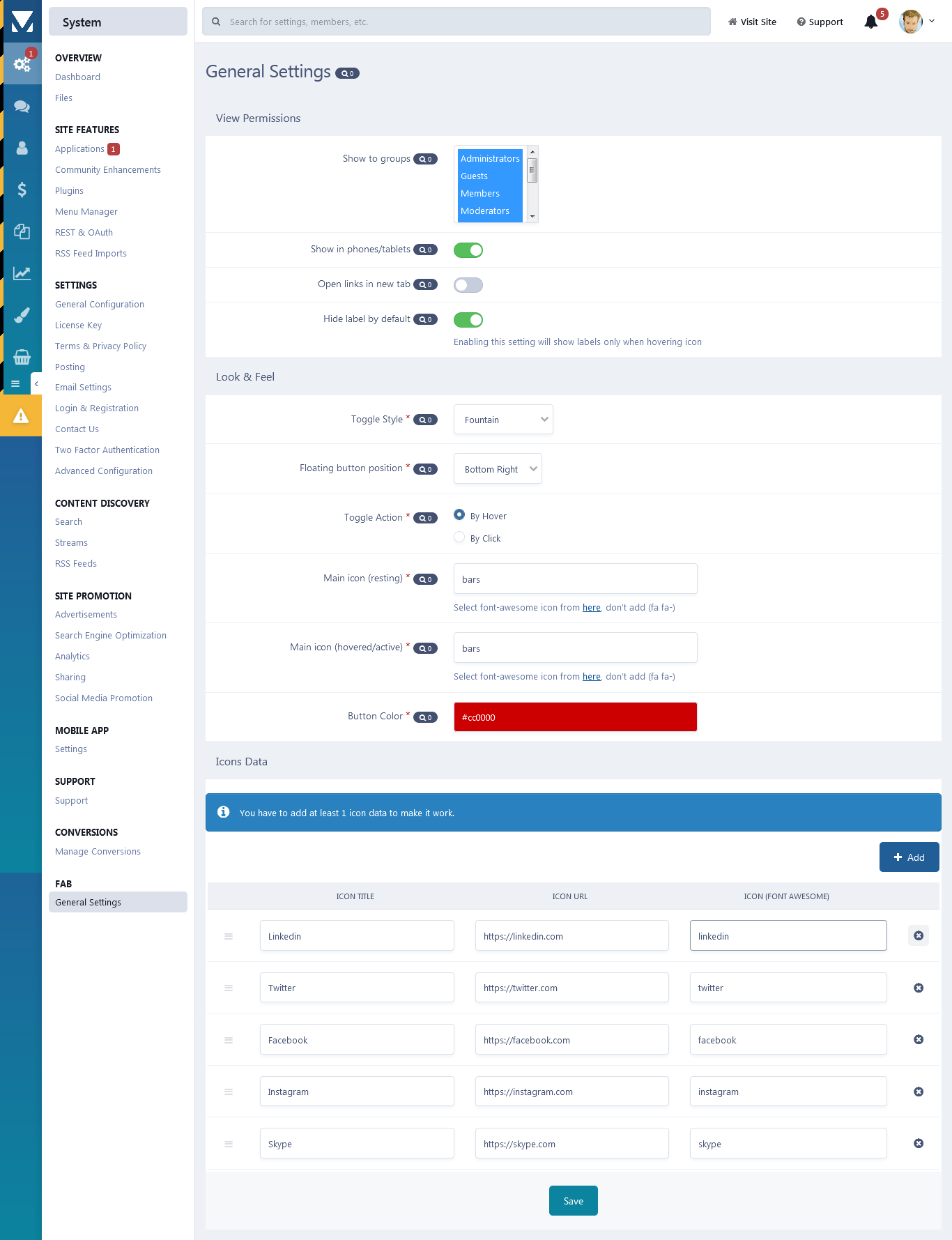
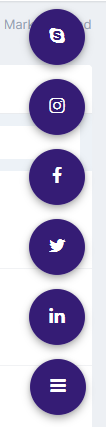
This app will add a fixed floating action button to the desired area in the page with multiple actions that will appear on hover/click.

App features:

  • Group permissions.
  • Enable/disable button on mobile/tablet view.
  • 4 Toggle styles (Slide-in, slide-in spring, zoom-in, fountain).
  • 4 Button positions (Bottom right, bottom left, top right, bottom left).
  • 2 Toggle actions (Click, hover).
  • Buttons colour and main icon style (Font-awesome).
  • Setting to control URL click behaviour (Open URL in a new tab or on the same page).
  • Setting to hide/show URL title by default.
  • You can add up to 10 child icons (You can set the icon, URL and title to whatever you want).

Demo video (4 toggle styles in action):

User Feedback

You may only provide a review once you have downloaded the file.

There are no reviews to display.

Account

Navigation

Search

Search

Configure browser push notifications

Chrome (Android)
  1. Tap the lock icon next to the address bar.
  2. Tap Permissions → Notifications.
  3. Adjust your preference.
Chrome (Desktop)
  1. Click the padlock icon in the address bar.
  2. Select Site settings.
  3. Find Notifications and adjust your preference.