




Skip to content
View in the app

A better way to browse. Learn more.

Zayed.Solutions

A full-screen app on your home screen with push notifications, badges and more.

To install this app on iOS and iPadOS
  1. Tap the Share icon in Safari
  2. Scroll the menu and tap Add to Home Screen.
  3. Tap Add in the top-right corner.
To install this app on Android
  1. Tap the 3-dot menu (⋮) in the top-right corner of the browser.
  2. Tap Add to Home screen or Install app.
  3. Confirm by tapping Install.

Quick Tips for Topic/Post Creation 1.1.2

$25

(0 reviews)

3 Screenshots

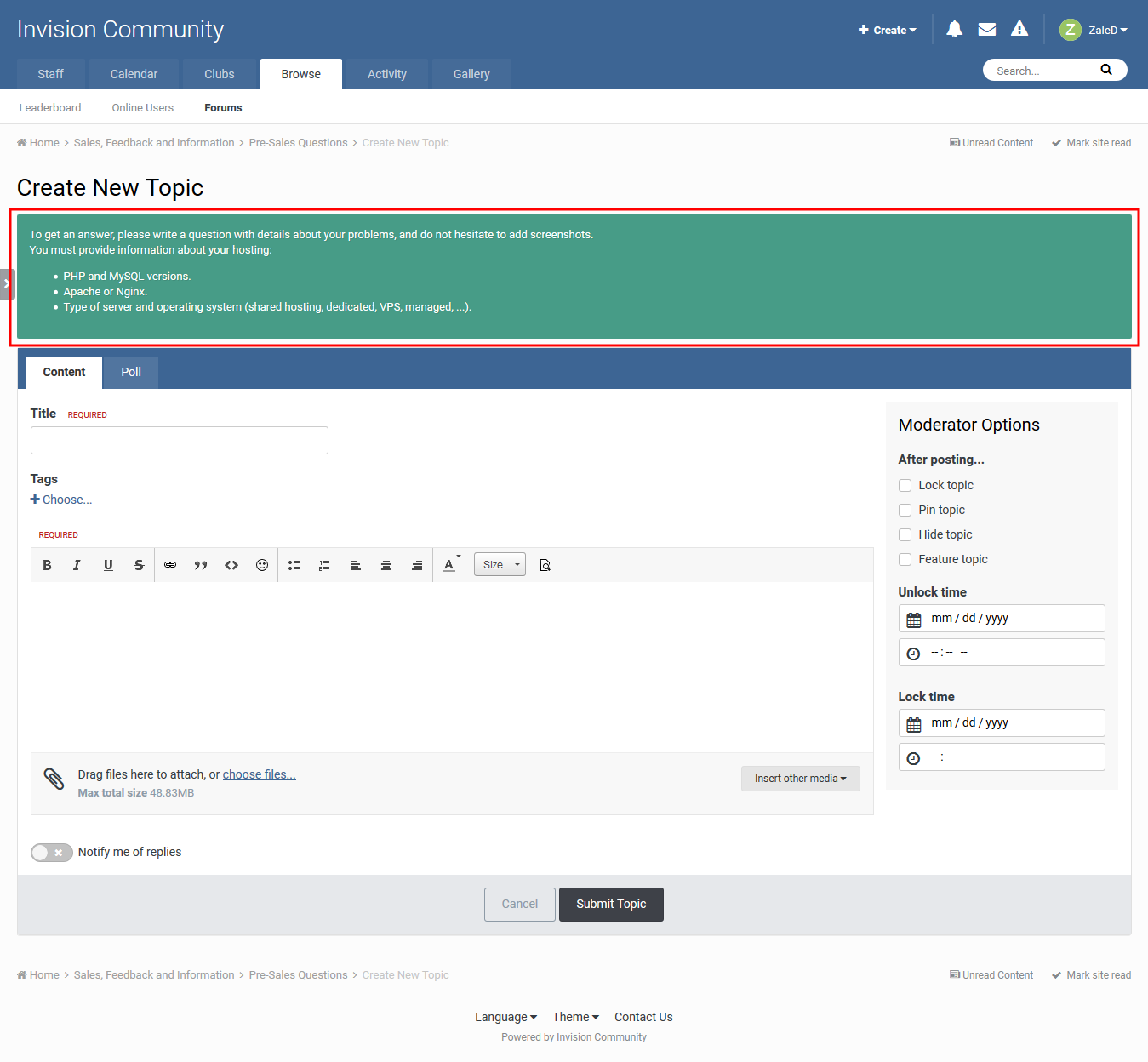
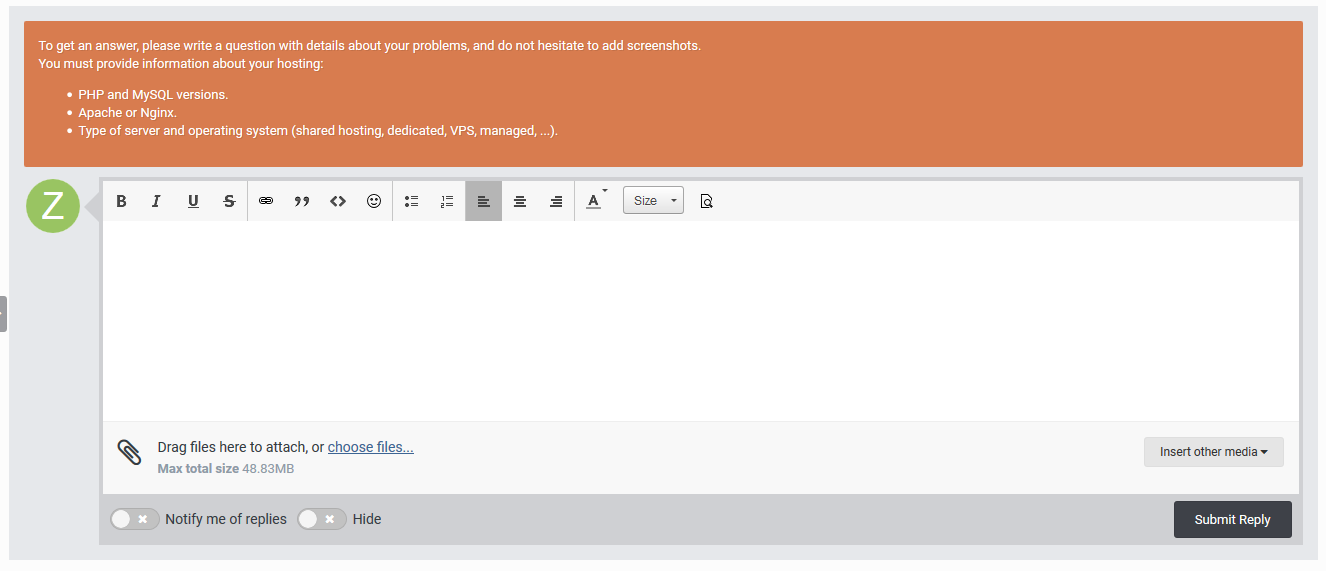
This app will add a message above topic or post submit form as a reminder tip before posting.

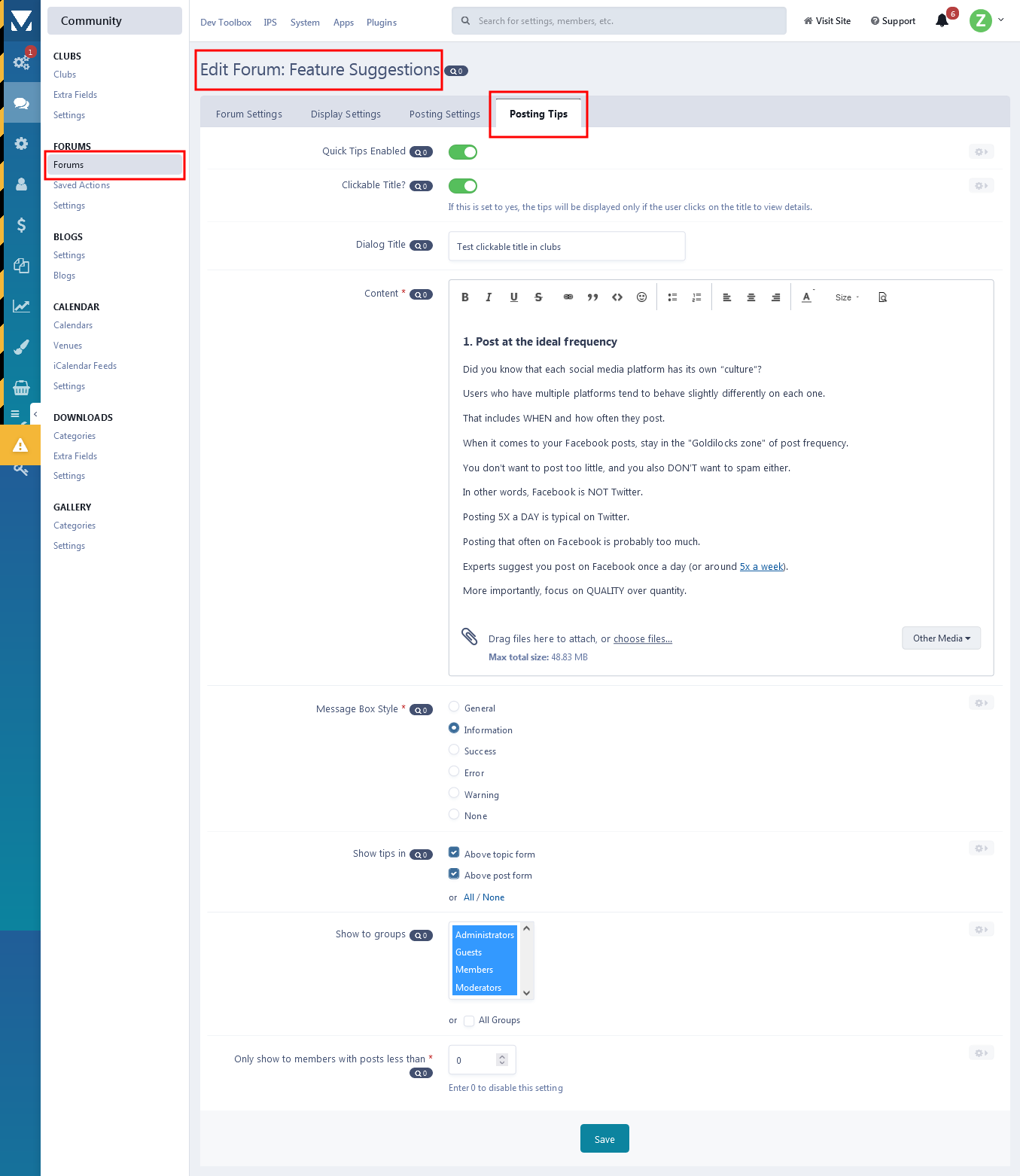
Plugin options:

  • Translatable message content.
  • Styling options (Green/Orange/Red/Cyan/White).
  • Location option.
  • Forums permissions.
  • Group permissions.
  • IPS 4.5 Compatibility.
  • Option to show the tips for members with less than number of posts.
  • Option for clickable tips, if you don't want to show the tips unless user clicks to view them.
  • Clubs support.

This is the initial basic version and I'm up to any suggestions or recommendations.

User Feedback

You may only provide a review once you have downloaded the file.

There are no reviews to display.

Account

Navigation

Search

Search

Configure browser push notifications

Chrome (Android)
  1. Tap the lock icon next to the address bar.
  2. Tap Permissions → Notifications.
  3. Adjust your preference.
Chrome (Desktop)
  1. Click the padlock icon in the address bar.
  2. Select Site settings.
  3. Find Notifications and adjust your preference.