


Skip to content
View in the app

A better way to browse. Learn more.

Zayed.Solutions

A full-screen app on your home screen with push notifications, badges and more.

To install this app on iOS and iPadOS
  1. Tap the Share icon in Safari
  2. Scroll the menu and tap Add to Home Screen.
  3. Tap Add in the top-right corner.
To install this app on Android
  1. Tap the 3-dot menu (⋮) in the top-right corner of the browser.
  2. Tap Add to Home screen or Install app.
  3. Confirm by tapping Install.

Sliding Upcoming Events Widget 2.0.4

$15

(0 reviews)

4 Screenshots

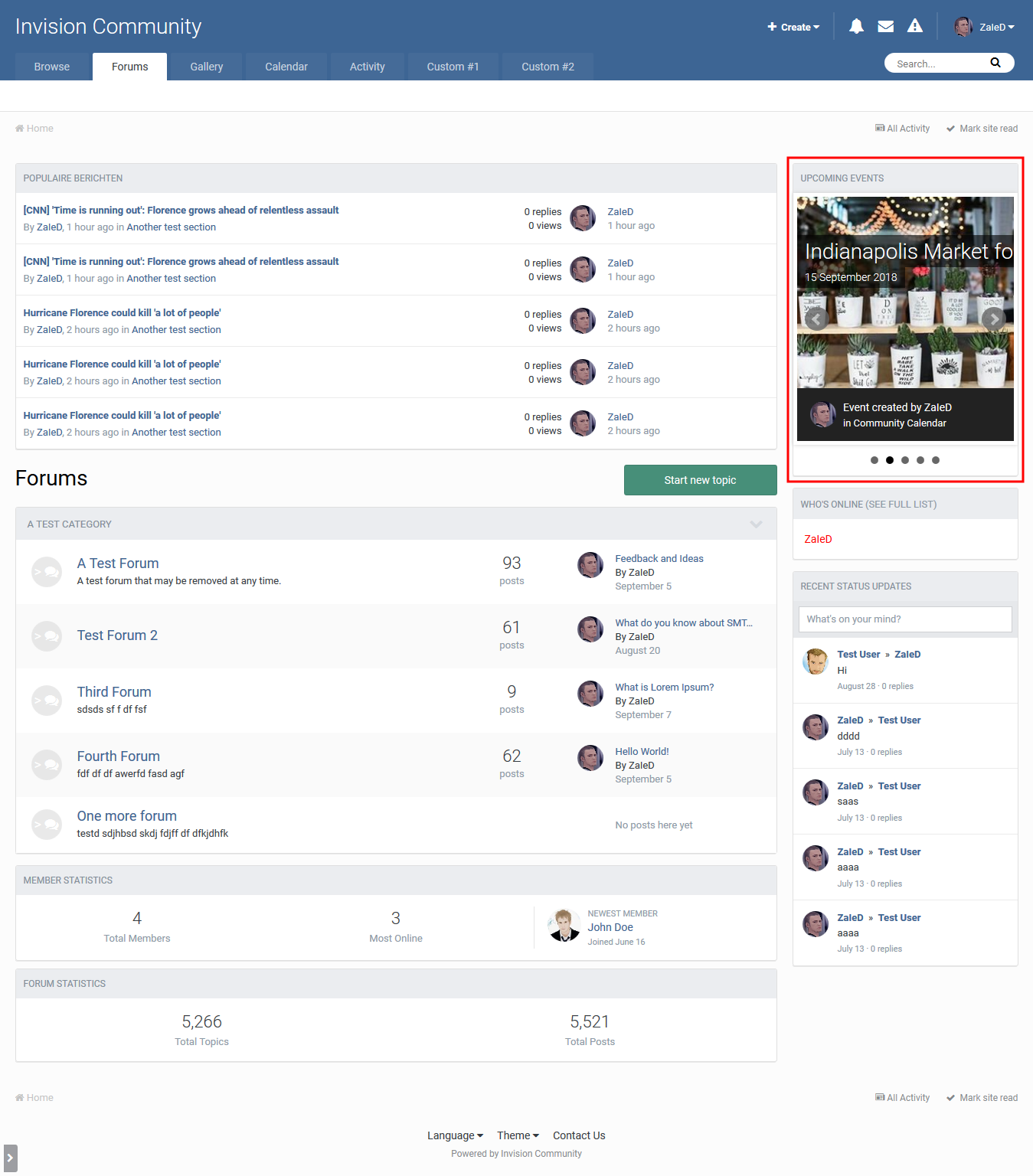
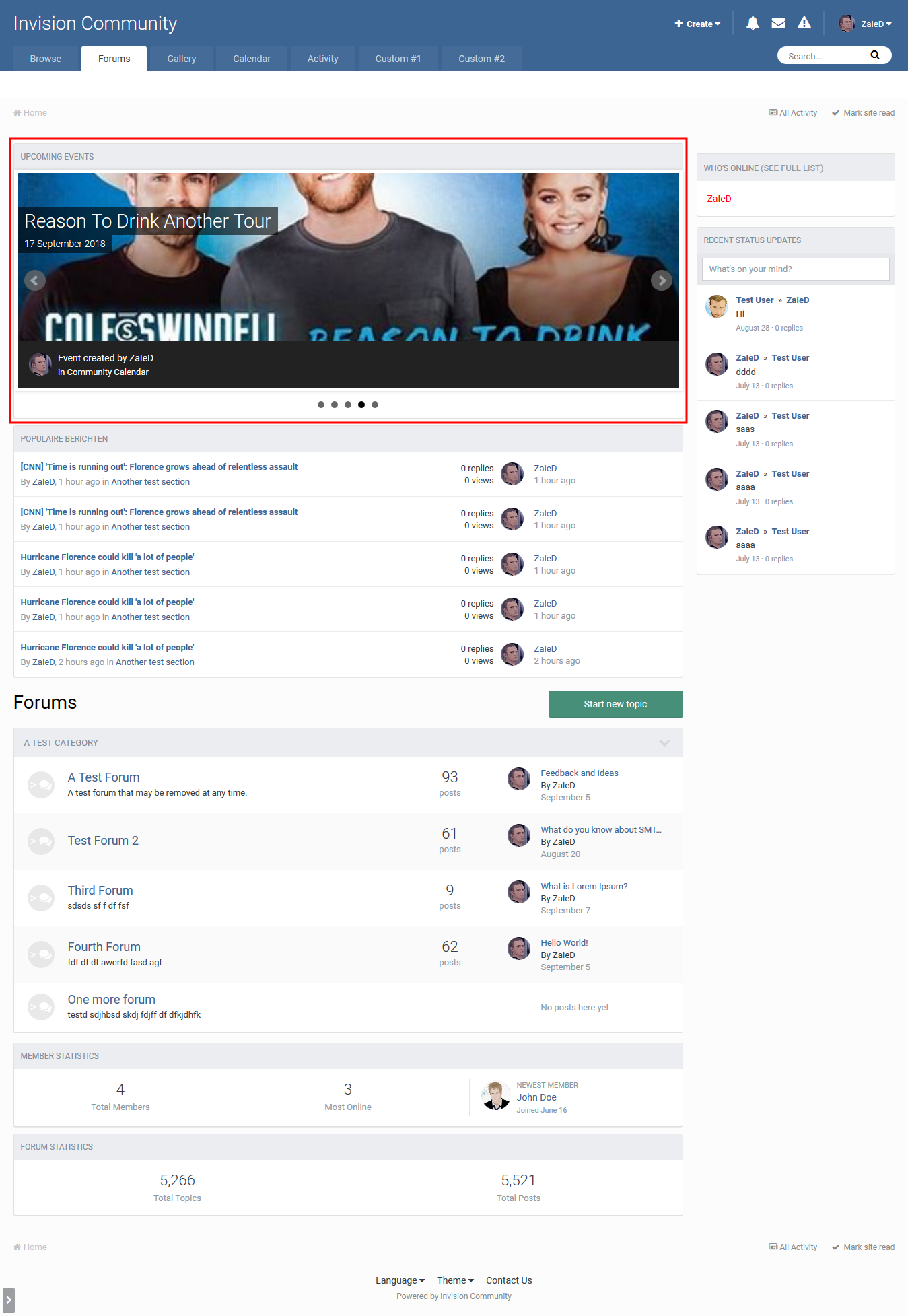
Sliding Upcoming Events Widget is a simple nice sidebar widget that shows a list of upcoming events in a sliding effect...

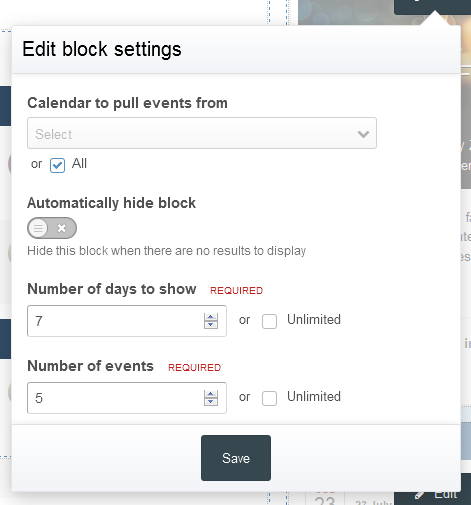
The plugin includes the following widget settings:

  • Calendar to pull events from
  • Automatically hide block
  • Number of days to show
  • Number of events to show

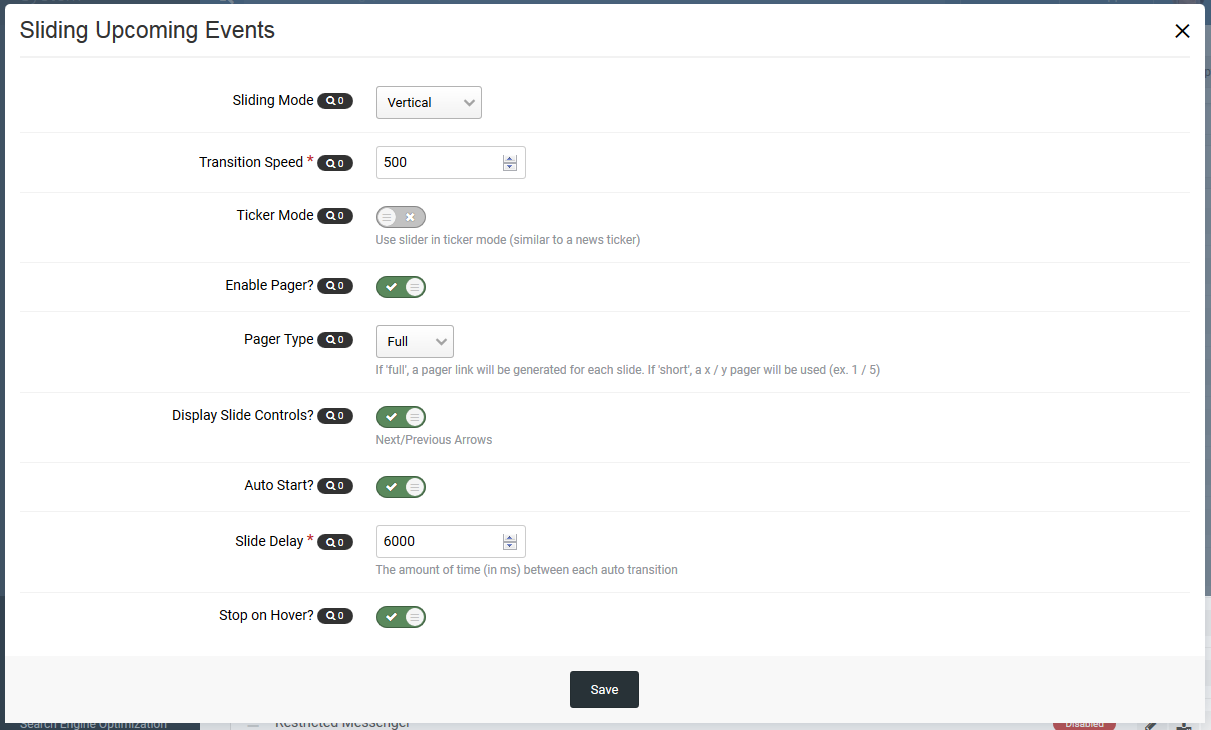
And plugin settings:

  • Sliding Mode (Vertical/Horizontal/Fade)
  • Transition Speed Required
  • Ticker Mode
  • Pager
  • Pager Type (Full/Short)
  • Slide Controls
  • Auto Start Mode
  • Hover Stop

Reviews, Comments & Suggestions all are truly required.

Hope you enjoy it 🙂

User Feedback

You may only provide a review once you have downloaded the file.

There are no reviews to display.

Account

Navigation

Search

Search

Configure browser push notifications

Chrome (Android)
  1. Tap the lock icon next to the address bar.
  2. Tap Permissions → Notifications.
  3. Adjust your preference.
Chrome (Desktop)
  1. Click the padlock icon in the address bar.
  2. Select Site settings.
  3. Find Notifications and adjust your preference.