


Skip to content
View in the app

A better way to browse. Learn more.

Zayed.Solutions

A full-screen app on your home screen with push notifications, badges and more.

To install this app on iOS and iPadOS
  1. Tap the Share icon in Safari
  2. Scroll the menu and tap Add to Home Screen.
  3. Tap Add in the top-right corner.
To install this app on Android
  1. Tap the 3-dot menu (⋮) in the top-right corner of the browser.
  2. Tap Add to Home screen or Install app.
  3. Confirm by tapping Install.

Custom Display Name Formatting 1.0.3

$25

(0 reviews)

5 Screenshots

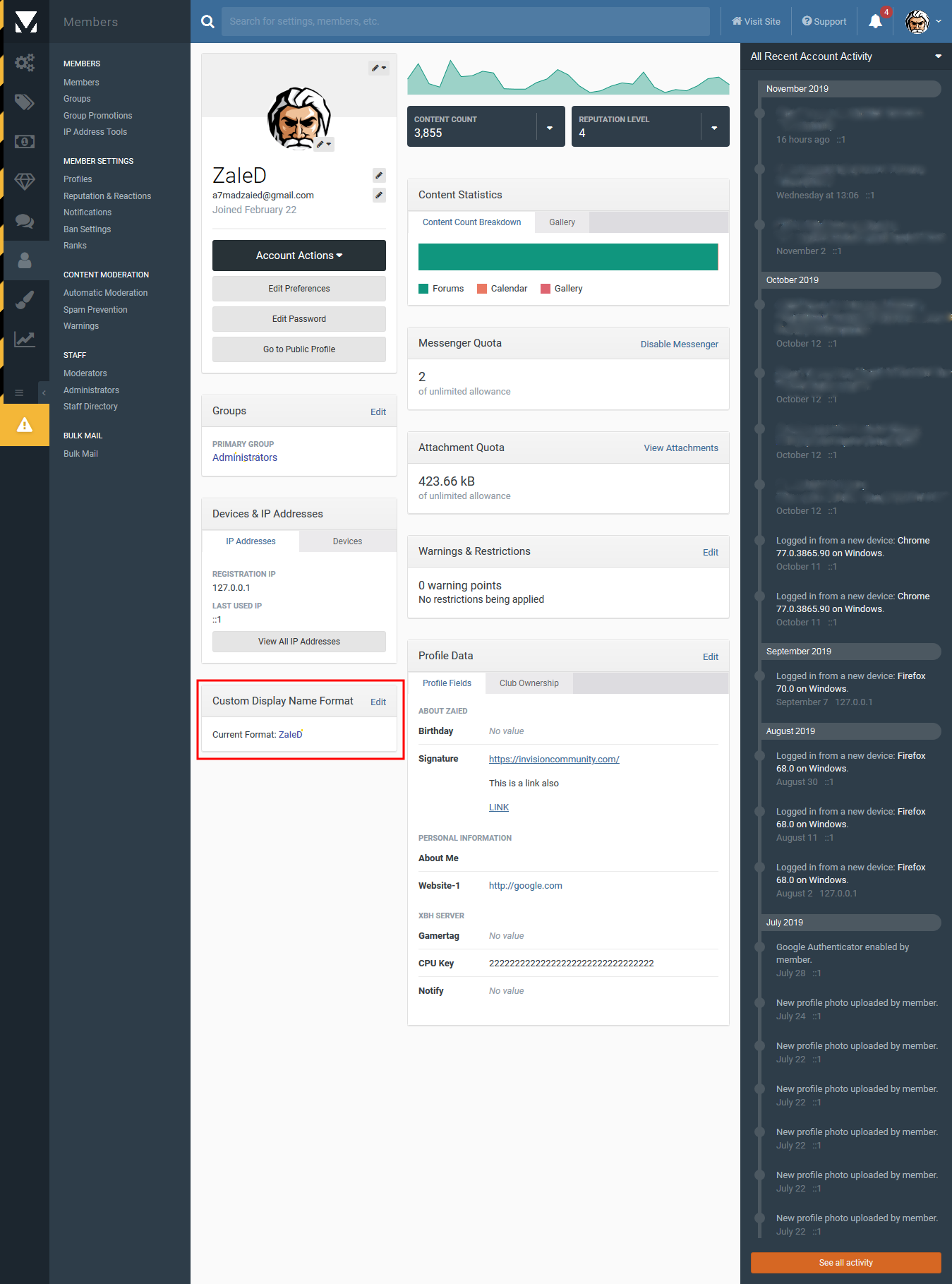
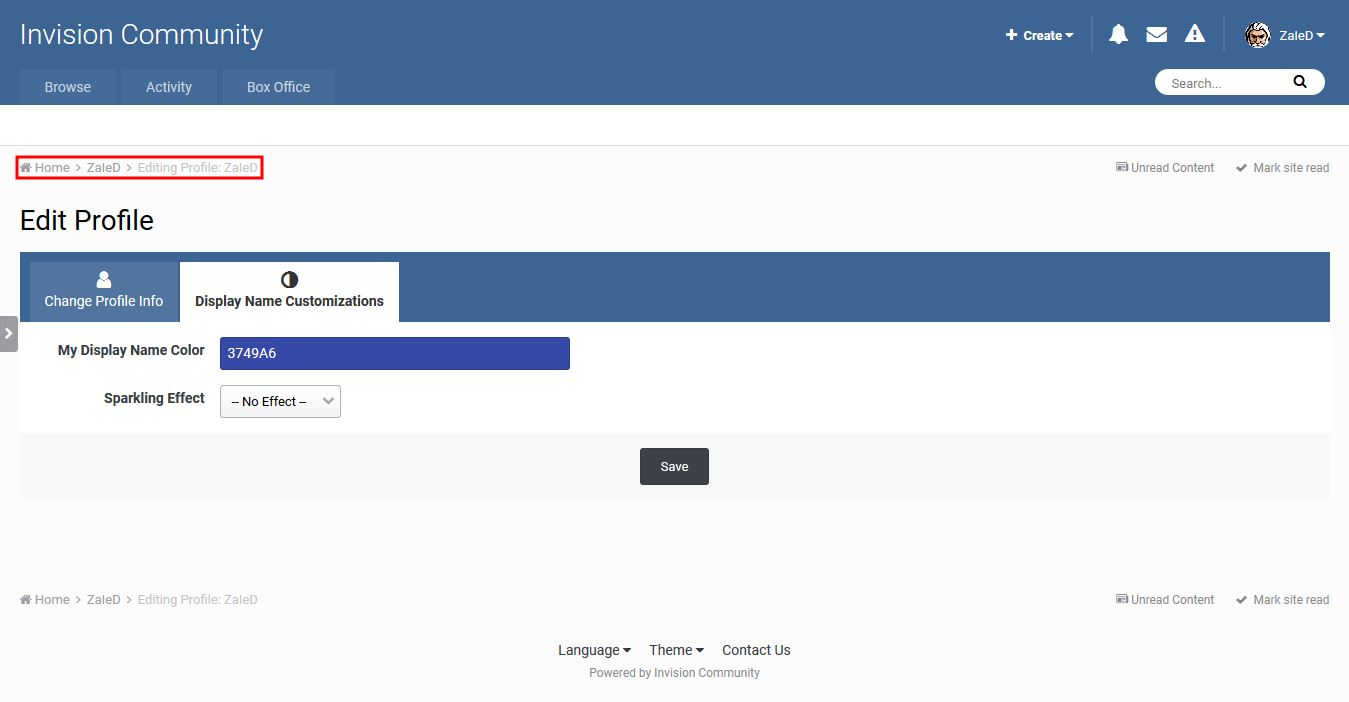
This application will give admins/users the power to customize member display name apart from primary user group customization...

Original app credits goes to "Shir Raanan", the original plugin developer for earlier 4.x versions.

App features:

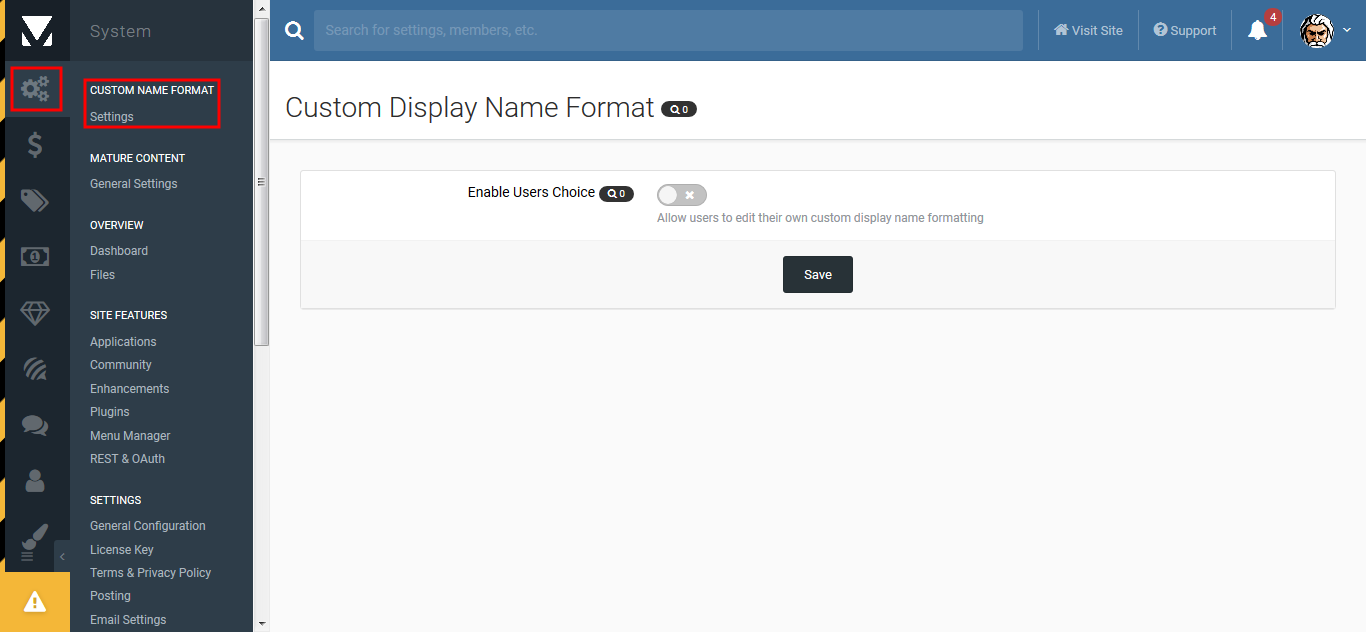
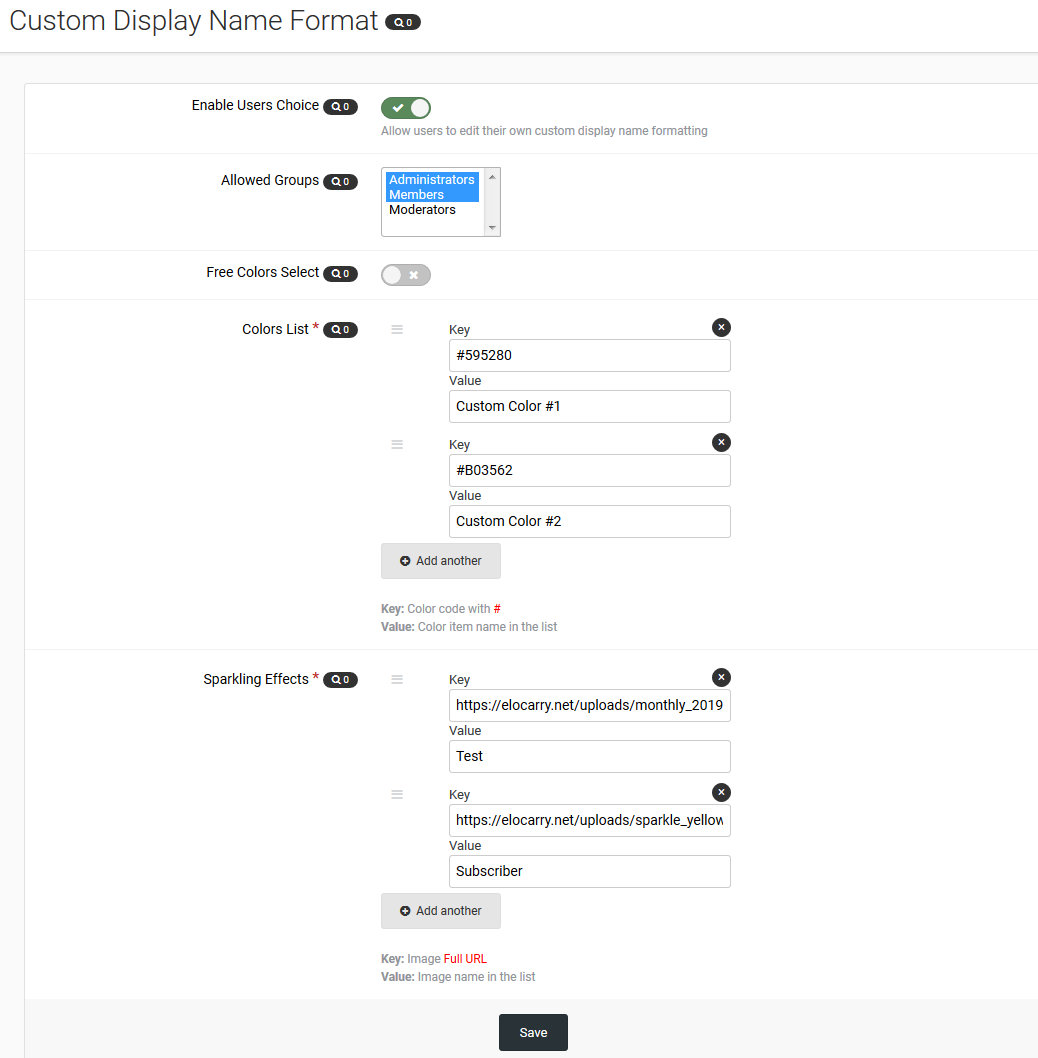
  • Admin has option to allow users to modify their display name.
  • Admin can set 2 display name color modes (Free mode/Restricted mode).
  • Admin can set list of selected colors in restricted font color mode.
  • Admin can set list of sparkling background for display name.
  • Admin can customize the name directly from ACP with full HTML formatting.
  • App mainly depends on caches to avoid database querying every time.

This app. is subject to improve and enhance according to your suggestions and reviews.

User Feedback

You may only provide a review once you have downloaded the file.

There are no reviews to display.

Account

Navigation

Search

Search

Configure browser push notifications

Chrome (Android)
  1. Tap the lock icon next to the address bar.
  2. Tap Permissions → Notifications.
  3. Adjust your preference.
Chrome (Desktop)
  1. Click the padlock icon in the address bar.
  2. Select Site settings.
  3. Find Notifications and adjust your preference.