





Skip to content
View in the app

A better way to browse. Learn more.

Zayed.Solutions

A full-screen app on your home screen with push notifications, badges and more.

To install this app on iOS and iPadOS
  1. Tap the Share icon in Safari
  2. Scroll the menu and tap Add to Home Screen.
  3. Tap Add in the top-right corner.
To install this app on Android
  1. Tap the 3-dot menu (⋮) in the top-right corner of the browser.
  2. Tap Add to Home screen or Install app.
  3. Confirm by tapping Install.

Display Payment Options in Product Page 1.0.2

$20

(0 reviews)

3 Screenshots

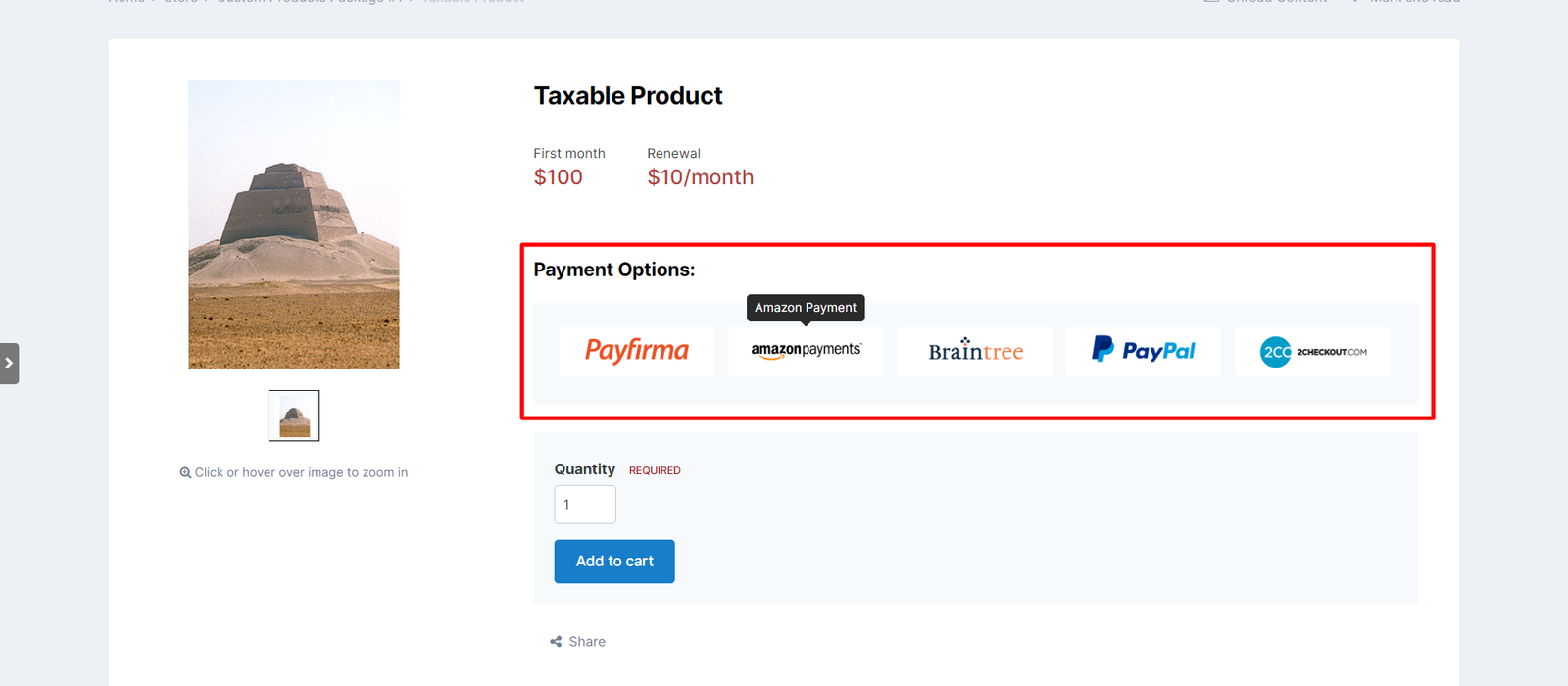
This application will show available payment methods in main product page before user decides to checkout.

This is useful to improve user experience, by saving user time to have the knowledge about available method before creating an invoice.

The application has the following features:

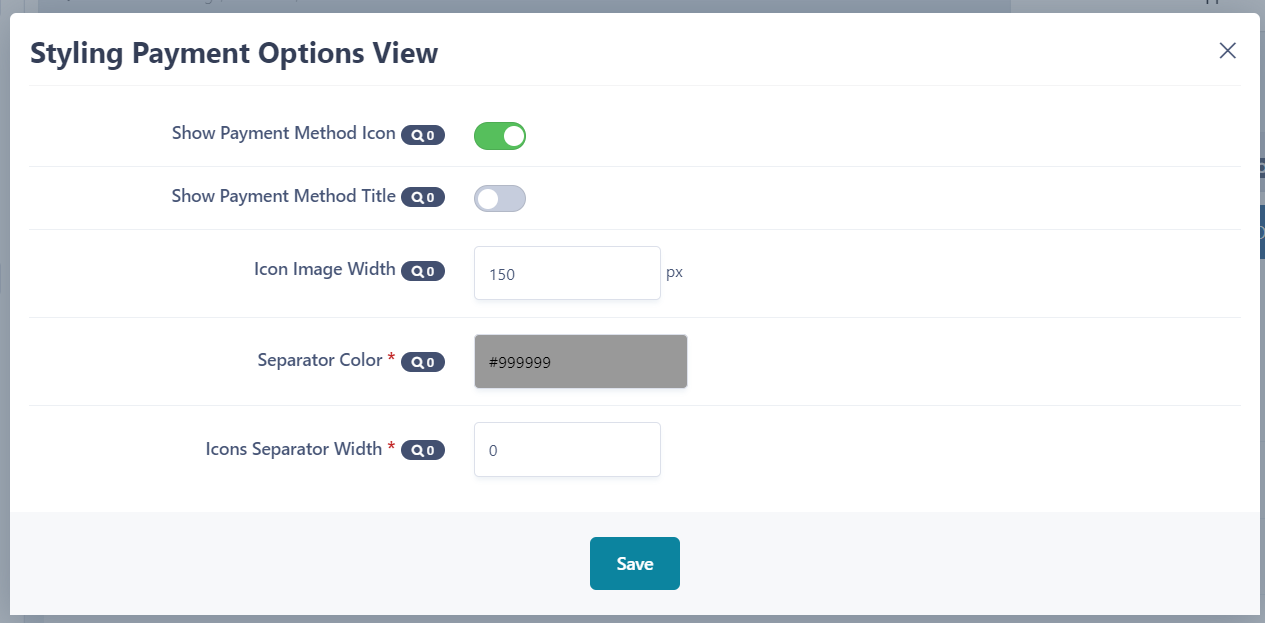
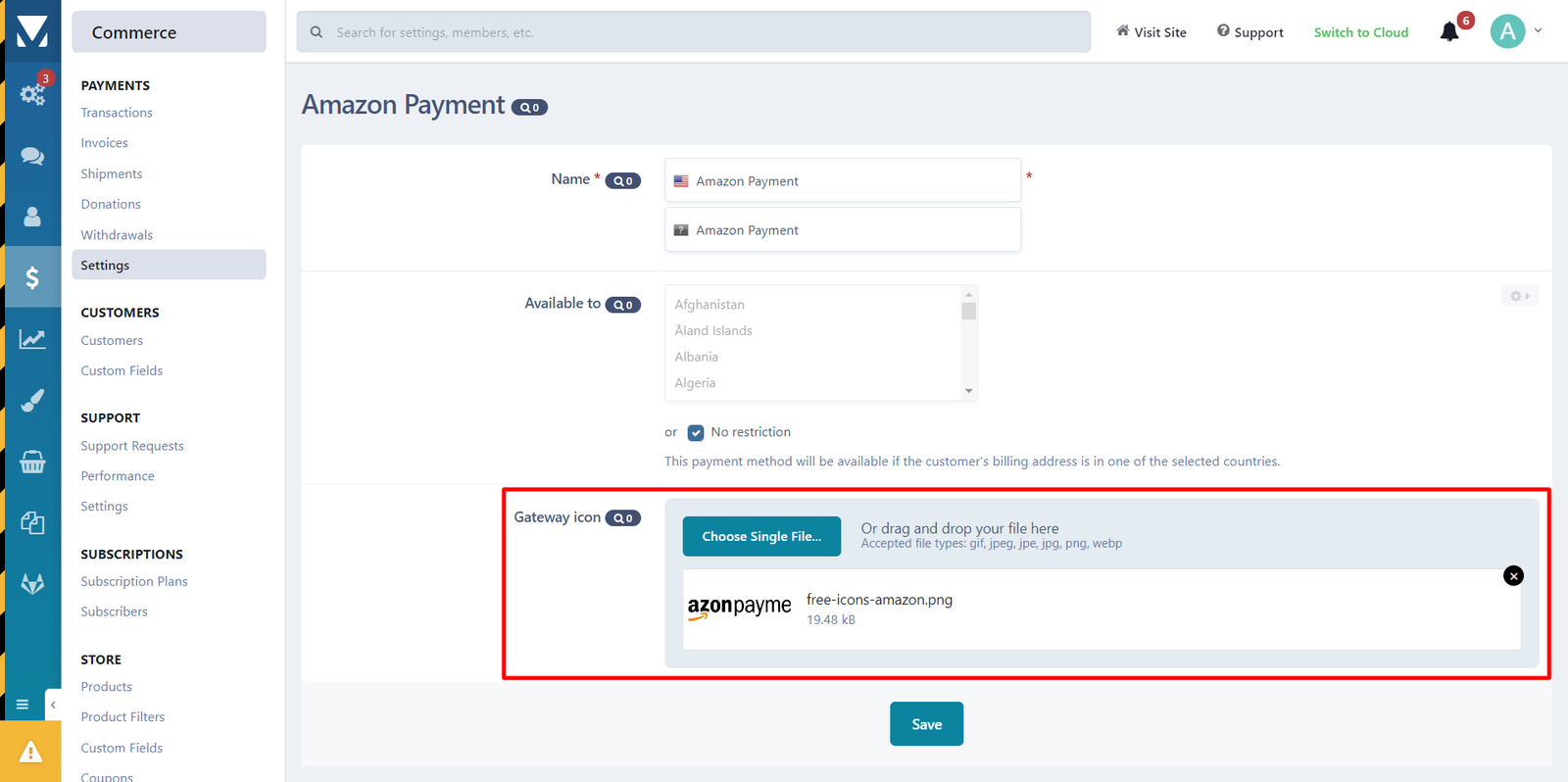
  • A Per method icon, you can upload image for every payment method.
  • Setting to show icon only, title only or show both of them in the same time.
  • Setting to change separator color.
  • Setting to change separator thickness.
  • Setting to control icon image width.

User Feedback

You may only provide a review once you have downloaded the file.

There are no reviews to display.

Account

Navigation

Search

Search

Configure browser push notifications

Chrome (Android)
  1. Tap the lock icon next to the address bar.
  2. Tap Permissions → Notifications.
  3. Adjust your preference.
Chrome (Desktop)
  1. Click the padlock icon in the address bar.
  2. Select Site settings.
  3. Find Notifications and adjust your preference.