




Premium IPS5 Applications
11 files
-
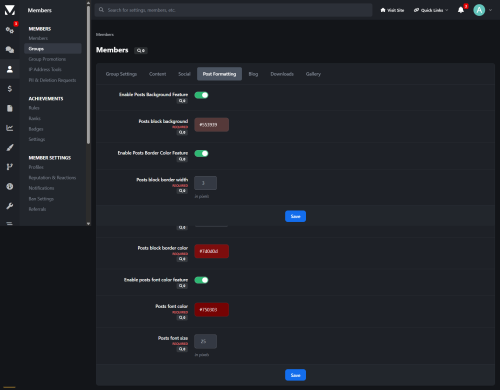
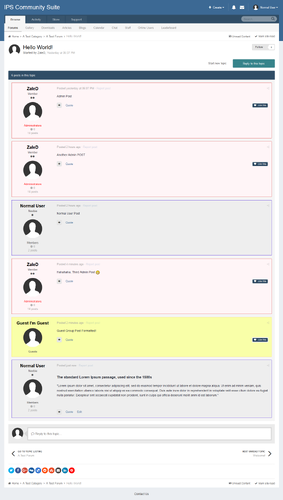
Simple hook to allow admins to assign background & border colours for each user group...
- $20
- 1 Purchases
- 1 Marketplace
Updated -
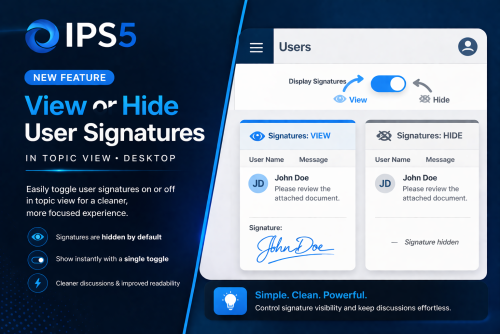
This sleek application enables users to effortlessly toggle the visibility of signatures within topic view. By default, signatures remain hidden, ensuring a cleaner and more focused browsing experience. Users can reveal them at any time with a simple click.
Toggle Signature App.mp4
- $20
Submitted -
- $50
- 2 Purchases
- 4 Marketplace
Updated -
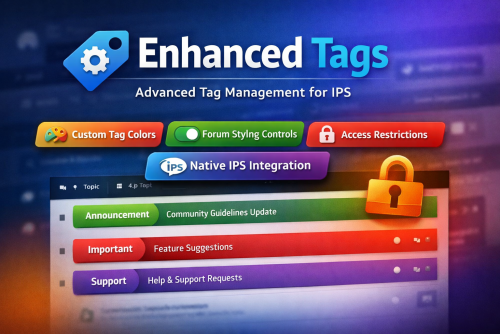
Enhanced Tags is a powerful IPS application that extends the native IPS 5 tag system, giving administrators full visual and permission-based control over tags, all from the existing IPS tag management interface.
Seamlessly integrated and globally styled, Enhanced Tags allows you to transform tags from simple labels into meaningful visual and organizational elements across your community.
🔧 Key Features
Native IPS Integration
Fully integrated with the default IPS 5 Tags system
Manage all enhancements directly from the same admin module used for standard tags
No duplicate systems or separate workflows
Custom Tag Styling
Assign a custom label color to each tag
Tag styles are applied consistently across all community pages
Optional controls to:
Enable or disable border color styling
Enable or disable background color styling
Forum & Topic Visual Enhancements
Apply tag colors to:
Topics/posts in forum views
Individual topic views
Improve content scanning and visual hierarchy for users
Granular Access Control
Restrict access to tag pages by specific user groups
Prevent selected groups from reaching or viewing tag-related pages
Why Enhanced Tags?
Improves content visibility and organization
Adds brand-consistent visual identity to tags
Gives admins fine-grained control without breaking IPS core behavior
Ideal for communities that rely heavily on tagging for navigation or moderation
- $15
- 1 Purchases
- 3 Marketplace
Updated -
Restricted Messenger gives administrators fine-grained control over private messaging permissions in Invision Community 5.
Instead of the default “all-or-nothing” messaging behavior, this application allows you to define exactly which member groups a user can start conversations with, and which groups they are allowed to reply to, directly from the ACP group settings.
This makes it ideal for communities that require structured communication flows, such as support forums, moderated platforms, educational communities, or role-based environments.
Key Features
Control which groups a user can start new messages to
Control which groups a user can reply to messages from
Fully managed from the ACP Groups form (no separate configuration pages)
Enforced at runtime to prevent unauthorized messaging
Seamless integration with the IPS 5 Messenger interface
Use Cases
Allow members to message staff, but not other members
Restrict new users from initiating conversations while allowing replies
Enable support-only messaging channels
Enforce role-based or hierarchy-based communication rules
Restricted Messenger adds the control layer that serious communities need, without changing how messaging feels for users.
- $20
- 1 Purchases
- 7 Marketplace
Updated -
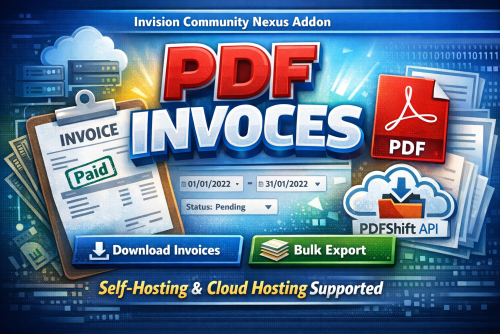
PDF Invoices is a powerful IPS Nexus addon that allows administrators to generate professional PDF invoices directly from the ACP.
Designed to work seamlessly on both self-hosted and IPS Cloud environments, the application intelligently switches between:
Dompdf for self-hosting
PDFShift API for cloud hosting (where some PHP functions are restricted)
This guarantees reliable PDF generation regardless of your hosting type.
With advanced filtering options, bulk export capabilities, and clean invoice formatting, managing customer invoices becomes fast, simple, and professional.
Key Features
✅ Download single invoice as PDF
✅ Bulk download invoices by date range
✅ Filter by invoice status (Paid, Pending, Canceled, etc.)
✅ Supports Nexus invoice structure
✅ Automatic detection of hosting environment
✅ Dompdf support for self-hosting
✅ PDFShift API integration for IPS Cloud
✅ Clean, printable invoice layout
✅ Optimized for large invoice volumes
✅ Secure & admin-only access
✅ Easy installation & configuration
Requirements
Invision Community 5.x
Nexus app enabled
PHP 8.1+ (self-hosting)
PDFShift API key (for cloud hosting)
Use Cases
Accounting & finance teams
Monthly invoice archiving
Customer invoice re-sending
Bulk reporting
Tax documentation
Migration or backups
FOR IPS CLOUD HOSTING CUSTOMERS:
You'll be forced to use the PDFShift API [added in the integrations section] - it offers free 50 files/month.
- $25
- 1 Purchases
- 1 Marketplace
Submitted -
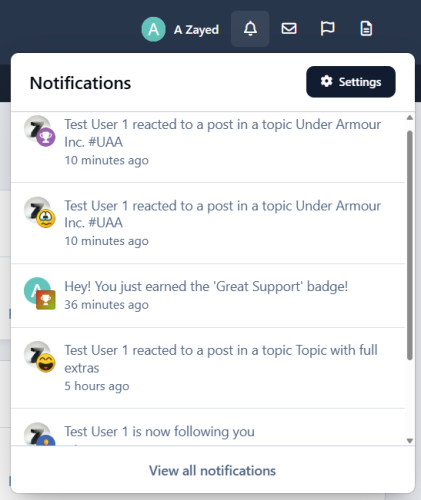
Notifications Icons is a lightweight yet powerful plugin designed to visually enhance your community’s notification system. It places intuitive icons next to each notification item, improving readability and user engagement across both inline notification pages and the top AJAX notification dropdown.
The plugin offers full customization of notification icons and background styles, allowing administrators to visually distinguish different notification types with ease. Whether it’s new content, reactions, moderation alerts, or member interactions, the application ensures users instantly understand what each notification represents.
"Notifications Icons" integrates seamlessly with existing notification systems with the built in IPS5 icon/emoji picker form field, giving you access to a wide range of familiar and professional icons.
Key Features
Icon support for inline notifications and AJAX notification box
Fully customizable icons and backgrounds
Covers all content-based and member-based notifications
Default fallback icon for custom notifications
Lightweight and performance-friendly
Easy setup and configuration
Installation Notes
Some communities may need to clear caches after installation for icons to display correctly.
Why Choose "Notifications Icons"?
Because notifications should be seen, understood, and acted on instantly - not read twice.
- $25
- 2 Purchases
- 4 Marketplace
Updated -
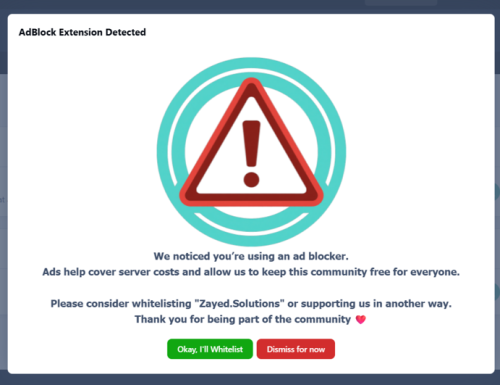
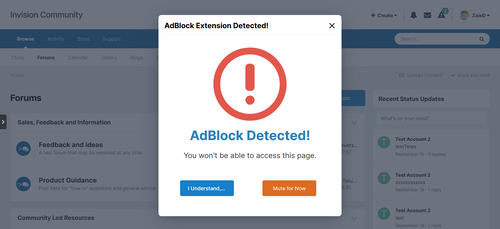
With AdBlock Extension Detector, you can detect when users are blocking ads on your website and take action based on your community’s rules.
When an ad blocker is detected, the application displays a blocking message that can partially or fully restrict access to your website until the user disables their ad blocker or takes an allowed action.
The application is highly configurable and supports modern ad blockers, making it suitable for communities of all sizes.
Key Features
Advanced AdBlock Detection
Supports popular ad blockers including:
AdBlock
AdBlock Plus
User Group Control
Choose exactly which user groups are affected when an ad blocker is detected.
Optional Full Site Blocking
Display a modal message that can:
Disable interaction
Prevent page scrolling
Dismiss & Remember Options
Allow users to dismiss the message (optional)
Remember the user’s choice via cookies
Fully Customizable Message
Custom header text
Rich-text message body (Translatable messages support)
Custom button labels
Flexible Display Modes
Small modal
Medium modal
Full-screen blocking message
UX Controls
Enable or disable the vertical scrollbar
Control how aggressive the enforcement should be
Optimized for Invision Community
AJAX-safe
Compatible with IPS dialogs
Works with modern IPS themes and navigation
Benefits
Helps increase advertising revenue
Encourages fair usage of your content
Offers balanced enforcement instead of hard lockouts
Reduces bounce rate compared to aggressive blockers
Suitable for forums, communities, news sites, and content platforms
⚠️ Important Notice Before Purchasing
While AdBlock Extension Detector uses multiple detection techniques and is actively updated to improve detection accuracy, no client-side solution can guarantee 100% detection of all ad blockers.
Ad blockers continuously evolve, and some privacy-focused browsers or DNS-based solutions may partially or fully bypass detection.
By purchasing this application, you acknowledge that:
Detection accuracy may vary by browser and configuration
Updates may be required to adapt to new ad-blocking techniques
Results depend on how users configure their blockers
- $15
- 1 Purchases
- 2 Marketplace
Updated -
Give users faster access to theme selection.
This lightweight application allows community members to switch themes directly from the top user bar, eliminating the need to use the bottom theme selection menu.
By moving theme controls to a more visible and accessible location, the app improves usability and enhances the overall user experience, especially for users who frequently change themes.
- $10
- 2 Purchases
- 2 Marketplace
Updated -
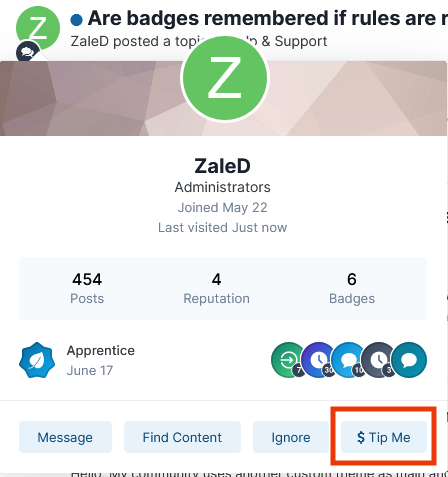
Enable secure, customizable tipping across your community.
This app allows administrators to control which user groups can set their own tip-jar URLs or tip other users, customize tip button text, and define supported payment services.
Admins can view all user-defined URLs in one place, track every tip-related click from a centralized page, and monitor engagement across the platform.
Tipping is supported throughout forum topics, blog entries, profile pages, hovercards, messenger messages, and downloadable files, ensuring seamless monetization wherever users interact.
Features
Role-based tipping permissions
Custom tip button text
Multiple payment service support
Centralized URL management
Unified click tracking and analytics
Platform-wide tipping integration
- $25
Updated -
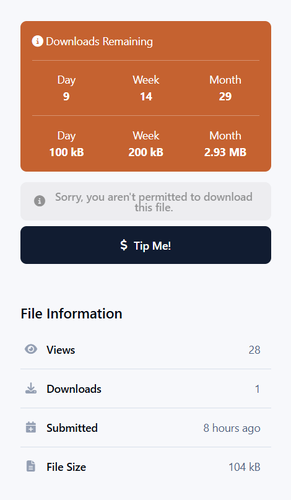
This application will display how many downloads count/bandwidth remaining before downloading files.
- $20
Submitted





Most Viewed
-
Auction System
$50
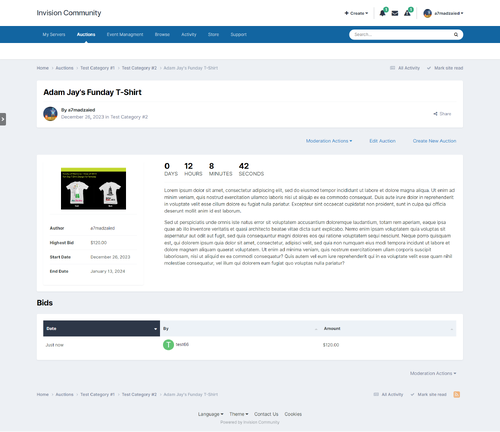
This is a basic auction system for Invision Community. Applications Features: Create multiple sections with different user permissions (Can view, can add, can bid...). Auction title, item description, item image, start amount, reserve amount. Notification when a user is overbidden. Home page widget, The admin can add multiple widgets. The application is planned to be expanded to include more and more features, feel free to post your requests/suggestions i- 6 Purchases
- 13 Marketplace
-
Tip Me
$25
App features: Select user groups allowed to set their own tip jar URL. Select user groups allowed to tip other users. Set tip button text. Set specific payment service URLs. View list of all URLs set by users. Track all URL clicks on a single page. Support for forum topics, blog entries, profile pages, hovercard, messenger messages and files in the download center. This is the initial version, and I'm open to any ideas and suggestions.- 10 Purchases
- 14 Marketplace
-
- 2 Purchases
- 4 Marketplace
-
Highlight Posts Per User Group
$25
Simple hook to allow admins to assign background & border colours for each user group... Please note that: This hook overwrites the built-in function of post highlight. Versions below 1.2.0 support 4.1, above 1.2.0 support 4.2+- 3 Purchases
- 5 Marketplace
-
External Links Rich Embed
$25
This plugin makes use of the Parser class to make a preview for the posted external URL inside the editor. When an external link is pasted into the editor, it is automatically expanded into a preview of the content, usually with an accompanying image, allowing users to click through to that content if they are interested. Plugin features: Supports a variety of external URL contents (Media, news, communities... etc.) Option for Simple/Rich embeds. Control what cont- 29 Purchases
- 24 Marketplace
-
User Redirects
$20
A simple plugin that allows admins to set the page that selected users groups will be redirected to once they Login or logout. There's also another option that allows admins to set a pop-up modal message once users Login or logout. The application comes with the following features: Customize user redirects per user group. URL field for user redirection. Option to allow redirection to the logging user profile. Option to enable/disable popup message. M- 4 Purchases
- 3 Marketplace
-
Enhanced AdBlock Blocker
$15
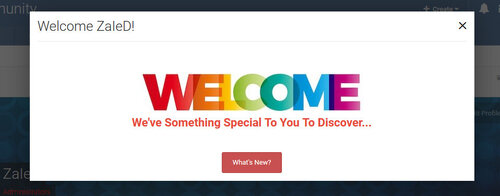
With this app you will be able to detect AdBlock & AdBlock+ browser plugin that blocks your website ads. It will display a block message that will disable all website if the user didn't disable his AdBlocker.... This application comes with these features and options: Select user groups that will be blocked if they enabled AdBlocker. Allow user to dismiss the message or not. Option to remember user selection (To be less aggressive), and this option is retested- 12 Purchases
- 7 Marketplace
-
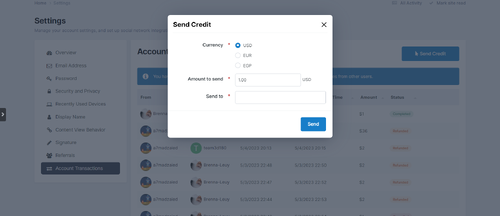
Account Credit Transfer
$25
This application will allow your community users to send/receive nexus app account credits between each other. This application requires IP.Commerce app to be installed. Application scenario: User A send credit of $5 to user B. User B is notified by this movement, and asked to confirm. Once User B confirm (Unfreez), the amount is deducted from User A and added to user B. Admin has the authority to refund or cancel the transaction.- 3 Purchases
- 6 Marketplace

Members
- Cowboy Denny
- A Zayed
- Square Wheels
- N700
- invitehawk
- Laurent Charmont
- edjazoli25
- kenotrontv
- Clubimport
- Hagiali
- johnwilliam
- Col
- Tim073
- kenny
- neghliz
- Kevin2002
- Alex Duffy
- TomCat
- ibaker
- shivamsaaini
- John Foumakis
- RevengeFNF
- xvzidbkt
- TBPBrad
- Matthew Gough
- maxtorgr
- rajarao
- hawksfan
- Scarzy
- root
- abdoulghani68
- joeym
- Afrodude
- Epoch
- Aptitude
- iiioroh
- Donsezario
- LemonGrenade
- piskilo
- xAiimz1337
- Zeldith
- Drew Dowdell
- optimusbain
- Back
- laracroftonline
- ijinxcxx
- bosss
- Gator
- Spezz
- circo
- JOHN ELLIS
- CoryWM
- Towforce
- GazzaGarratt
- nonolive
- GTAPoliceMods
- master963
- SeNioR
- Ioannis D
- abobader
- brian correll
- Labis
- DonPetru
- Claudia Lamb
- ENTERPRISE
- rainx
- divokym
- XmenS
- angle4cor
- Brock Beauchamp
- Drufus
- MarcoX
- Amany
- Hispano
- D-Trox
- Perci
- Seuong_csbd
- Arcturus
- kmk
- DSystem
- Maxius
- Sonya
- sonnick84
- David N.
- Safety1st
- OhSoRy
- AngelCosta
- Metor
- Michal Szafranski
- Teddy Rogers
- TDBF
- Steph40
- Ribuan
- Schaken
- Aiba
- DawPi
- fdfdfd
- paymap
- Mario52188
- XwReK